

Most finance teams don't buy fixed asset software because their current system broke. They buy it because the spreadsheet finally outgrew the controller's patience — or because an auditor asked a question nobody could answer in under three days.
That's the real buying trigger, and it changes how you should evaluate vendors. You're not shopping for features in the abstract. You're trying to stop a specific kind of pain: depreciation that doesn't tie to the GL, tax schedules that live in someone's head, and an asset register that nobody fully trusts.
This guide is built around the questions that actually matter when you sit across from a vendor — not the glossy demo path, but the parts where deals go sideways six months after signing.
Start With the Reconciliation Problem, Not the Feature List
The mistake that costs finance teams the most: they evaluate fixed asset software by scoring depreciation methods and tax features first, then treat ERP integration as a technical detail to sort out later.
It's backwards. The depreciation engine is rarely where things fall apart. The reconciliation layer is.
What tends to happen across asset‑heavy businesses is that the asset subledger and the general ledger drift apart quietly. A disposal gets recorded in the ERP but not the asset system. A capitalization happens in AP but the asset record sits in "pending" for two months. Month‑end close shows a variance of a few thousand dollars between the fixed asset module and the GL control account, and nobody can explain it without a half‑day investigation.
Picture a mid‑size manufacturer with around 4,000 active assets running depreciation in a standalone system, then journaling the summary entry into their ERP manually. The entry is correct. But three disposals that month never made it into the asset system, so the net book value coming off the books is overstated by roughly $40k–$60k. The variance sits in a suspense account until year‑end, when it becomes an audit finding.
So before you look at anything else, ask the vendor one question: when an asset event happens in the ERP, what exactly keeps the asset subledger in sync — and how do you prove they match?
If the answer involves a monthly manual export, you've found your future problem.
The Non‑Negotiable Features (And How to Pressure‑Test Them)
Every vendor will claim they have a depreciation engine, tax schedules, and audit trails. The difference is in the edges.
Stop losing track of critical assets.
Ownitly helps you monitor, maintain, and manage every asset efficiently and reliably.
- Centralized asset tracking
- Automated maintenance alerts
- Compliance monitoring & reporting
No credit card required
Depreciation engine
-
Can it run multiple parallel books — book, federal tax, state tax, AMT, and GAAP vs. IFRS — on the same asset without duplicating records?
-
How does it handle mid‑period acquisitions and disposals, including partial‑month and mid‑quarter conventions?
-
Can you run a what‑if depreciation forecast across 3–5 years without posting anything?
-
What happens when you need to change an asset's useful life mid‑stream? Does it recalculate prospectively, and does it leave a trail of what changed and why?
A good stress test: ask them to demo a bonus depreciation scenario with a mid‑quarter convention trigger, live. If the demo person has to "get back to you," note it.
Tax schedules and compliance
-
Automatic generation of Form 4562 and supporting depreciation detail
-
Handling of Section 179 limits and phase‑outs, plus bonus depreciation rate changes year over year
-
State‑by‑state decoupling — many states don't conform to federal bonus depreciation, and this is where manual workarounds multiply
-
How the vendor pushes tax law updates into the system, and whether that's included or a paid add‑on
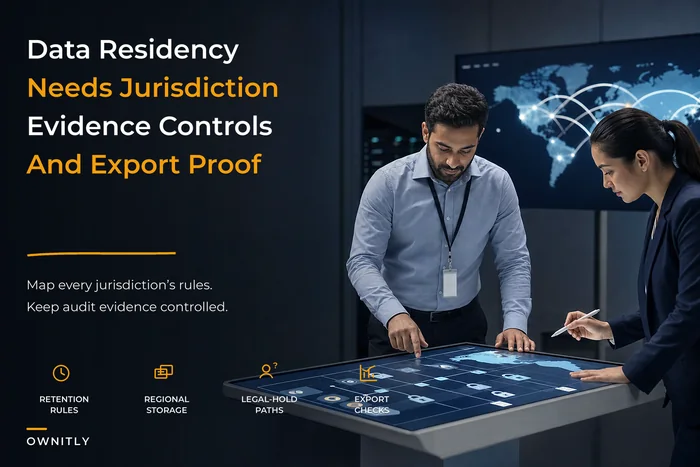
If your operation crosses jurisdictions, the handling of differing rules matters more than almost anything else on the feature list. It's the same category of problem covered in the context of EAM data residency and cross‑jurisdiction evidence policy — different rules in different places, and a system that has to track all of them without you doing it by hand.
Audit trails
The weakest audit trails record that something changed. The strong ones record who, when, the before and after values, and the reason code. During evaluation, ask to see the audit log for a useful‑life change and a disposal. If it shows a timestamp and a user but not the old and new values, it won't survive a real audit.
The Integration & Reconciliation Checklist
This is the part most buyers underinvest in, and it's what determines whether the software actually reduces work or just moves it somewhere else. Walk through every one of these before signing.
General Ledger (GL)
-
Does depreciation post at the detail or summary level, and can you choose?
-
Can you map each asset class to specific GL accounts and cost centers?
-
Is there an automated subledger‑to‑GL reconciliation report, or do you build it yourself?
Accounts Payable (AP)
-
Can a capitalized invoice flow from AP into an asset record automatically?
-
How are partial capitalizations handled when one invoice covers multiple assets?
-
What stops the same invoice from creating duplicate asset records?
Projects / CIP (Construction in Progress)
-
Can costs accumulate against a project and then convert to a fixed asset at placed‑in‑service?
-
Does it handle cost roll‑ups from multiple invoices into one capitalized asset?
-
Can you split one project into several asset records with different useful lives?
ERP
-
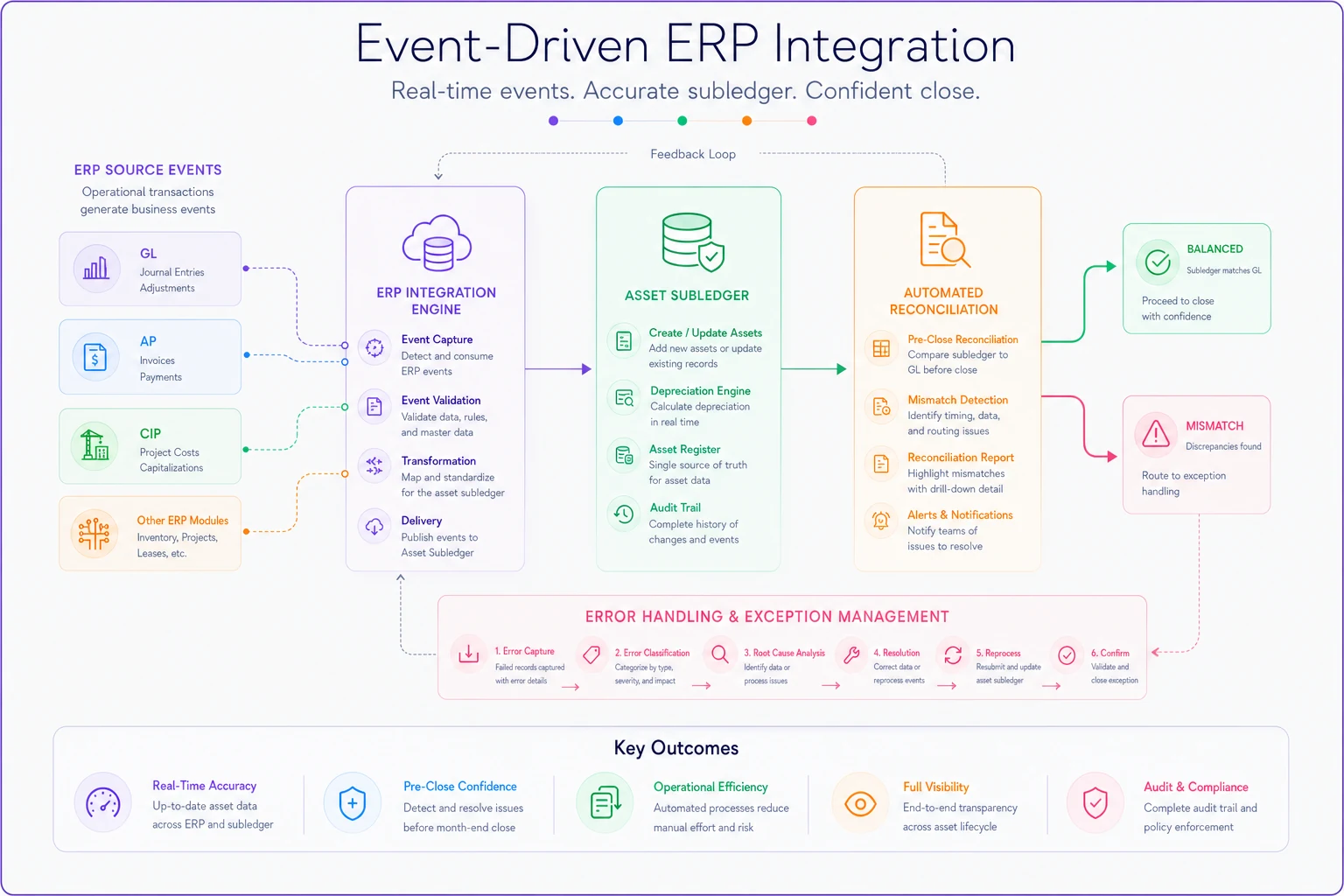
Is the integration bidirectional and event‑driven, or batch export only?
-
What's the sync frequency, and what happens to failed records?
-
Is there a reconciliation dashboard that flags mismatches before close, not after?
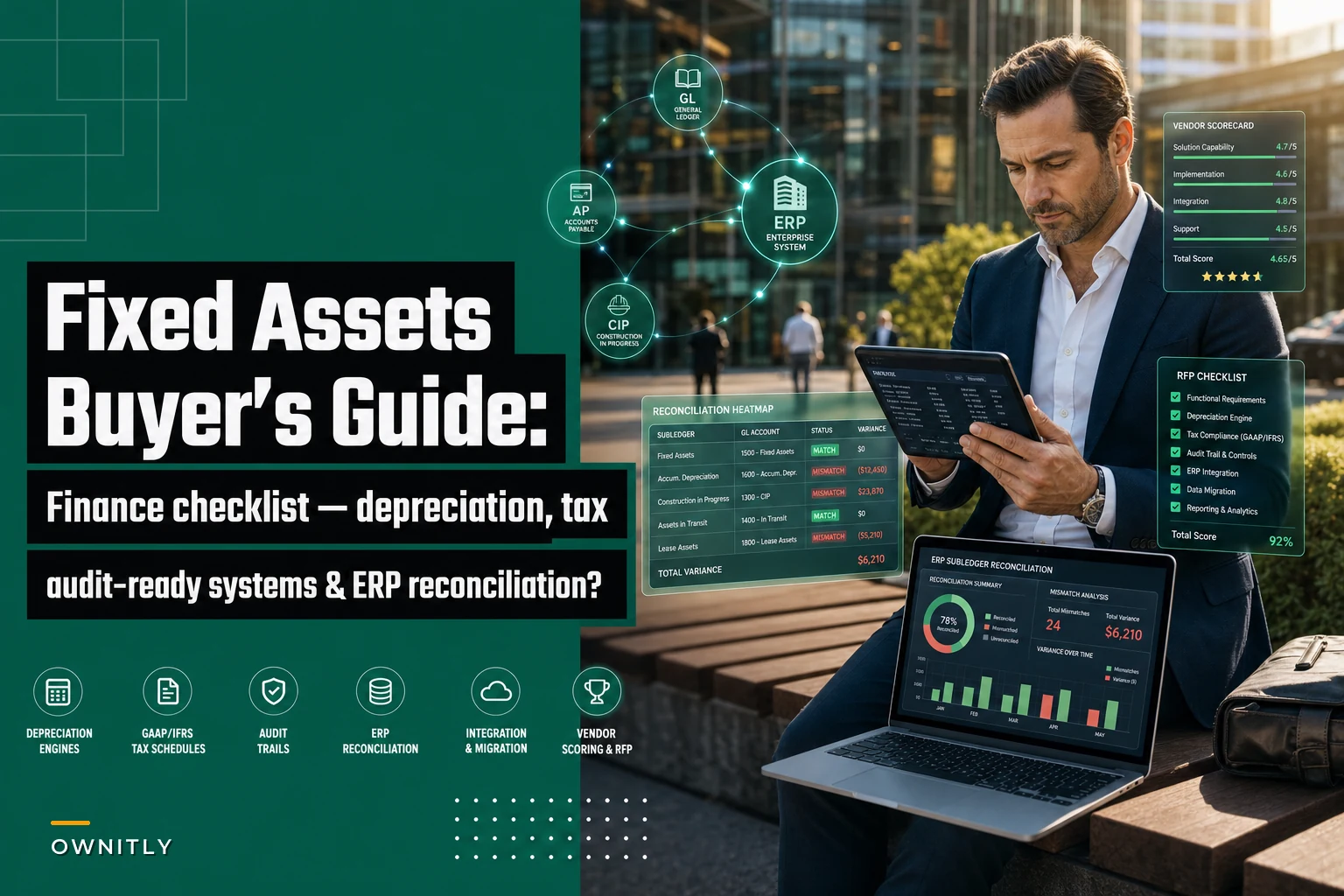
Visualize the integration workflow below.
Run this as a literal checklist in your vendor meetings. The pattern to watch for: vendors who answer the depreciation questions confidently and get vague on the AP and CIP flows. That vagueness is where implementation hours disappear.
Run the reconciliation checklist live with the vendor demo to see gaps in real time.
Run this as a literal checklist in your vendor meetings. The pattern to watch for: vendors who answer the depreciation questions confidently and get vague on the AP and CIP flows. That vagueness is where implementation hours disappear.
Deployment and Migration: Where Timelines Quietly Double
The depreciation calculations will likely be right on day one. The data migration is what determines whether you actually trust the system in month three.
The core migration risk is the opening balance problem: every existing asset has to come in with its correct accumulated depreciation, remaining life, placed‑in‑service date, and tax basis for each book. If the source data is a spreadsheet with inconsistent conventions, the migration becomes a cleanup project before it becomes a software project.
A realistic migration sequence:
-
Extract and profile the current asset register — count records, identify missing placed‑in‑service dates, flag assets with no depreciation method assigned.
-
Reconcile the source to the GL before migrating anything. If the spreadsheet already doesn't tie to the GL, migrating it just carries the discrepancy into the new system.
-
Map the chart of accounts and asset classes between old and new, including tax books.
-
Run a parallel period — depreciate one month in both the old and new systems and compare line by line.
-
Resolve variances, document the reasons, and get sign‑off before cutover.
-
Lock prior periods and cut over with a clean, reconciled opening balance.
The parallel run in step four is the one teams skip to save time. It's also the one that catches convention mismatches that would otherwise show up as audit findings a year later. Don't skip it.
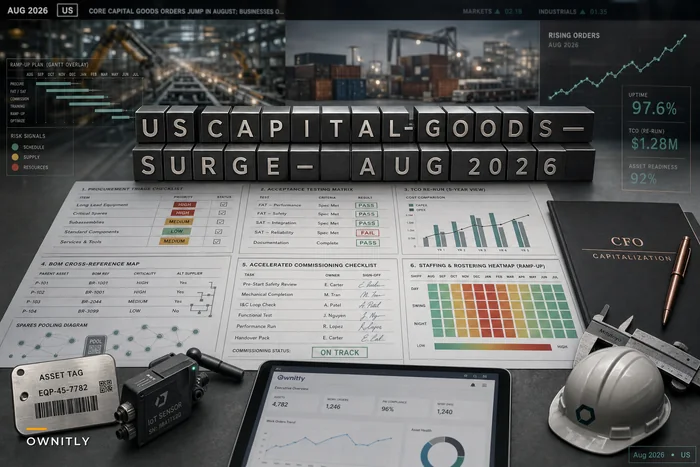
On deployment model: cloud is now the default for most finance teams, but if you operate in regulated environments or across borders, data location and retention rules should be part of the decision early — not an afterthought. Teams expanding their asset base quickly — something covered in the context of the capital‑goods investment surge — especially need migration tooling that scales, because adding several hundred assets a quarter through manual entry is its own slow failure.
Vendor Scoring Matrix
Score each vendor 1–5 on these dimensions and weight them to your situation. The weighting matters more than the raw scores — a tax‑heavy manufacturer and a lean services firm should not use the same weights.
| Dimension | What You're Really Scoring | Suggested Weight |
|---|---|---|
| Depreciation depth | Parallel books, convention handling, mid‑life changes | High |
| Tax compliance | Form 4562, 179/bonus, state decoupling, update cadence | High |
| ERP/GL integration | Bidirectional, event‑driven, reconciliation reporting | Very High |
| AP & CIP flows | Auto‑capitalization, cost roll‑ups, duplicate prevention | High |
| Audit trail quality | Before/after values, reason codes, user + timestamp | High |
| Migration tooling | Profiling, parallel run support, rollback | Medium‑High |
| Reporting & forecasting | What‑if depreciation, roll‑forward schedules | Medium |
| Total cost (TCO) | License, implementation, tax updates, support | Medium |
| Vendor stability | Release cadence, support responsiveness, references | Medium |
The dimension buyers underweight almost every time is reconciliation reporting. They assume it's included. Often it's a report they have to build themselves, which means the "automation" they bought still ends in a manual tie‑out every month.
Sample RFP Sections You Can Lift Directly
If you're issuing an RFP, these sections separate serious vendors from demo‑ware. Keep the questions specific enough that a vague answer is obvious.
Section A — Depreciation & Books
-
Describe how your system maintains parallel book and tax depreciation on a single asset record.
-
Walk through a mid‑quarter convention calculation with bonus depreciation applied.
-
How does a useful‑life change recalculate, and what is recorded in the audit trail?
Section B — Integration & Reconciliation
-
Describe your standard ERP integration, including direction, trigger events, and failure handling.
-
Provide a sample subledger‑to‑GL reconciliation report.
-
Explain how capitalized AP invoices become asset records and how duplicates are prevented.
Section C — Migration
-
Describe your data profiling and validation tools.
-
Do you support a parallel depreciation period during cutover?
-
What rollback options exist if the migration surfaces material variances?
Section D — Compliance & Audit
-
How are federal and state tax law changes delivered, and at what cost?
-
Provide a sample audit trail export for a disposal transaction.
-
Describe retention and archival of prior‑period depreciation records.
Make vendors answer in writing. The written answers are what you'll hold them to when the implementation gets hard.
When a Dedicated Fixed Asset System Actually Makes Sense
Not every organization needs a standalone platform.
When it makes sense:
-
You carry more than a few hundred assets across multiple tax jurisdictions.
-
You run several depreciation books and your ERP's native fixed asset module can't keep them straight.
-
Audits consistently surface subledger‑to‑GL variances you can't explain quickly.
-
You're adding assets fast enough that manual entry is becoming a bottleneck.
When it's probably not worth it:
-
You have a few dozen assets and your ERP's built‑in module already reconciles cleanly. A separate system just adds an integration to maintain.
-
Your real problem is dirty data, not missing features — new software will faithfully depreciate garbage.
-
You're buying to solve a one‑time audit finding rather than an ongoing process gap.
One category of buyer that should absolutely hold off: teams that haven't first reconciled their current register to the GL. If the existing numbers don't tie, no purchase fixes that. You'll just migrate the discrepancy into a more expensive place.
A Real Scenario: The Variance That Wouldn't Die
A regional construction firm with roughly 1,800 fixed assets ran everything in a spreadsheet alongside their ERP. Every month, the fixed asset control account showed a variance against the subledger — usually somewhere in the $8k–$15k range. The controller's team spent about two days each close chasing it down.
The root cause wasn't the depreciation math. It was CIP. Projects completed and were placed in service in the ERP, but the conversion to fixed asset records happened manually and lagged by weeks. Disposals had the same problem in the other direction.
After moving to a dedicated fixed asset platform with event‑driven ERP integration and an automated reconciliation report, the recurring variance effectively disappeared. The few mismatches that did appear were flagged before close instead of discovered after. Close time on the fixed asset side dropped from around two days to a few hours.
Nobody got a revenue bump out of it. But the audit stopped generating repeat findings on the same control account, and the controller got two days of their month back. The lesson wasn't "software fixed it" — it was that the CIP‑to‑asset conversion was the actual broken workflow, and they only found that by walking through the reconciliation checklist before buying anything.
Bringing It Together
The fixed asset software you choose matters less than whether you diagnosed the right problem before shopping. In most finance teams, the pain isn't the depreciation engine — it's the gap between the asset subledger and everything around it: the GL, AP, CIP, and the tax books that have to stay separate but consistent.
Score vendors on reconciliation and integration first. Pressure‑test the tax and depreciation edges during live demos. Treat migration as its own project with a mandatory parallel run. Do those three things, and the system you pick will quietly close your month instead of becoming the next thing you're reconciling by hand.
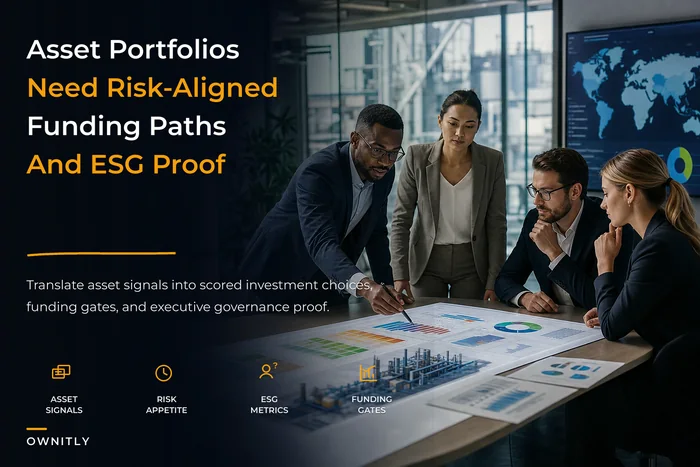
If your fixed asset decision is also tangled up with broader capital allocation questions — where investment is going, how assets map to risk tolerance, what ESG commitments require — it's worth taking a step back and looking at how asset portfolios align to risk, CAPEX, and ESG goals. The right software is only useful if it supports the decisions you're actually trying to make.
The fixed asset software you choose matters less than whether you diagnosed the right problem before shopping. In most finance teams, the pain isn't the depreciation engine — it's the gap between the asset subledger and everything around it: the GL, AP, CIP, and the tax books that have to stay separate but consistent.
Score vendors on reconciliation and integration first. Pressure‑test the tax and depreciation edges during live demos. Treat migration as its own project with a mandatory parallel run. Do those three things, and the system you pick will quietly close your month instead of becoming the next thing you're reconciling by hand.
If your fixed asset decision is also tangled up with broader capital allocation questions — where investment is going, how assets map to risk tolerance, what ESG commitments require — it's worth taking a step back and looking at how asset portfolios align to risk, CAPEX, and ESG goals. The right software is only useful if it supports the decisions you're actually trying to make.
Ready to elevate your asset operations?
Join 1,500+ businesses using Ownitly to optimize asset utilization, reduce downtime, and ensure compliance.